Cost Centre Introduction
A cost Centre is units of an organization to which transaction can be allocated. Cost Centre are the most flexible tools for management information system, which allows a analysis of financial information.
How to Activate Cost Centre and Cost Category
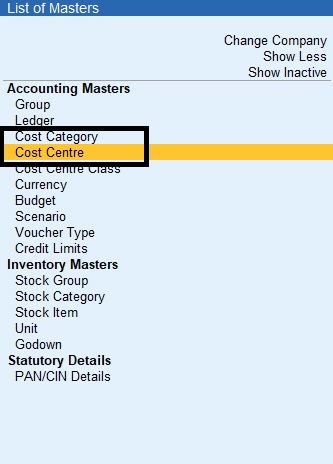
Gateway of Tally->Masters->Create->Cost Category (or) Cost Centre
Gateway of Tally->Masters->Create->Show More->Cost Category (or) Cost Centre
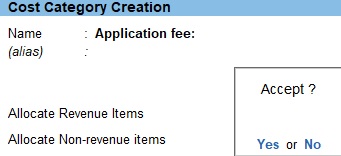
Cost Category
1.Gateway of Tally->Masters->Create->Cost Category
2.Enter the name
3.Set the option Allocate Revenue Items toYesto allocate all sales, purchase, expanses and income->related transaction to cost Centres created under this cost category
4.Set the option Allocate No-Revenue Items to Yes to allocate transaction related to capital account and other non-revenue accounts to cost Centres created under this cost category
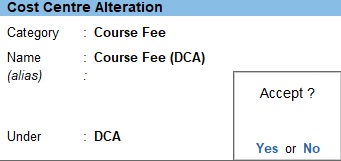
Cost Centre
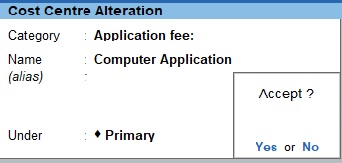
1.Gateway of Tally->Masters->Create->Cost Centre
2.Select the Cost Category
3.Enter name
4.Select the Cost Centre Under which the Cost Centre has to be grouped
5.Enter the Cost Centre
1.Gateway of Tally->Masters->Create->Cost Centre
2.Select the Cost Category
3.Enter name
4.Select the Cost Centre Under which the Cost Centre has to be grouped
5.Enter the Cost Centre
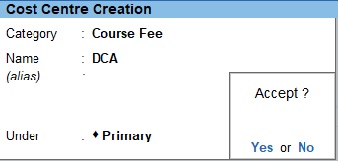
1.Gateway of Tally->Masters->Create->Cost Centre
2.Select the Cost Category
3.Enter name
4.Select the Cost Centre Under which the Cost Centre has to be grouped
5.Enter the Cost Centre
Transaction
1.Go to Gateway of Tally->Transaction->Vouchers
2.Select Receipt Voucher Click (F6)
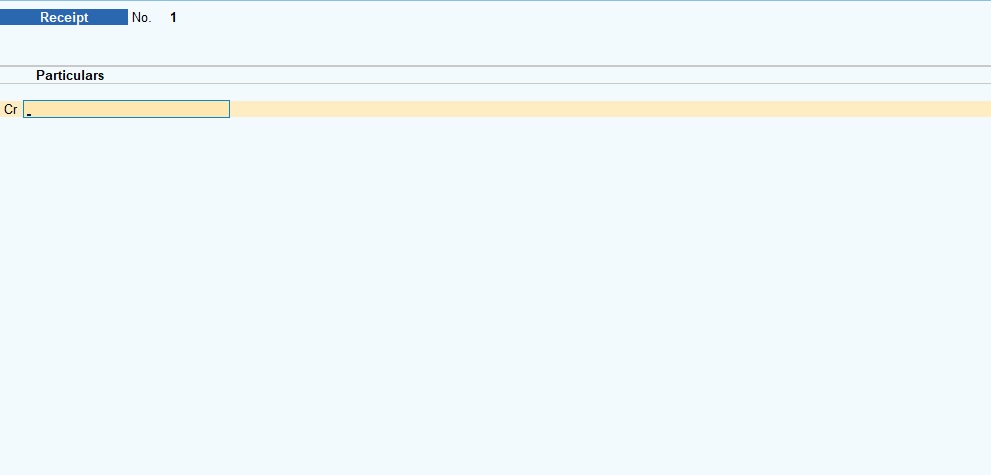
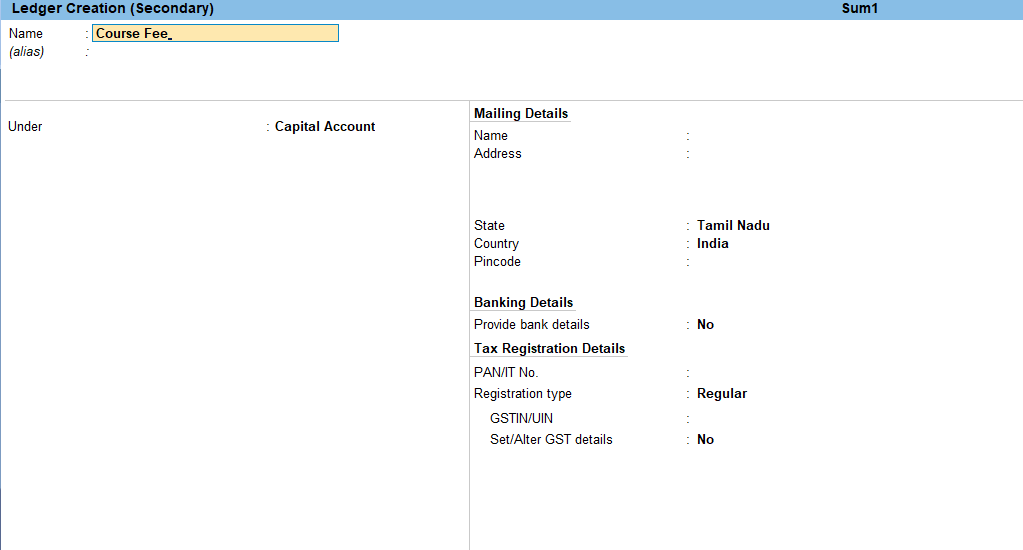
Voucher->Alt+C Click->To Create Ledger->Enter
1.The Cost Centre Allocations screen appears as shown:
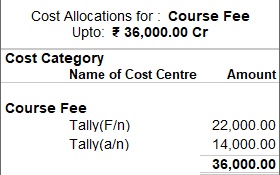
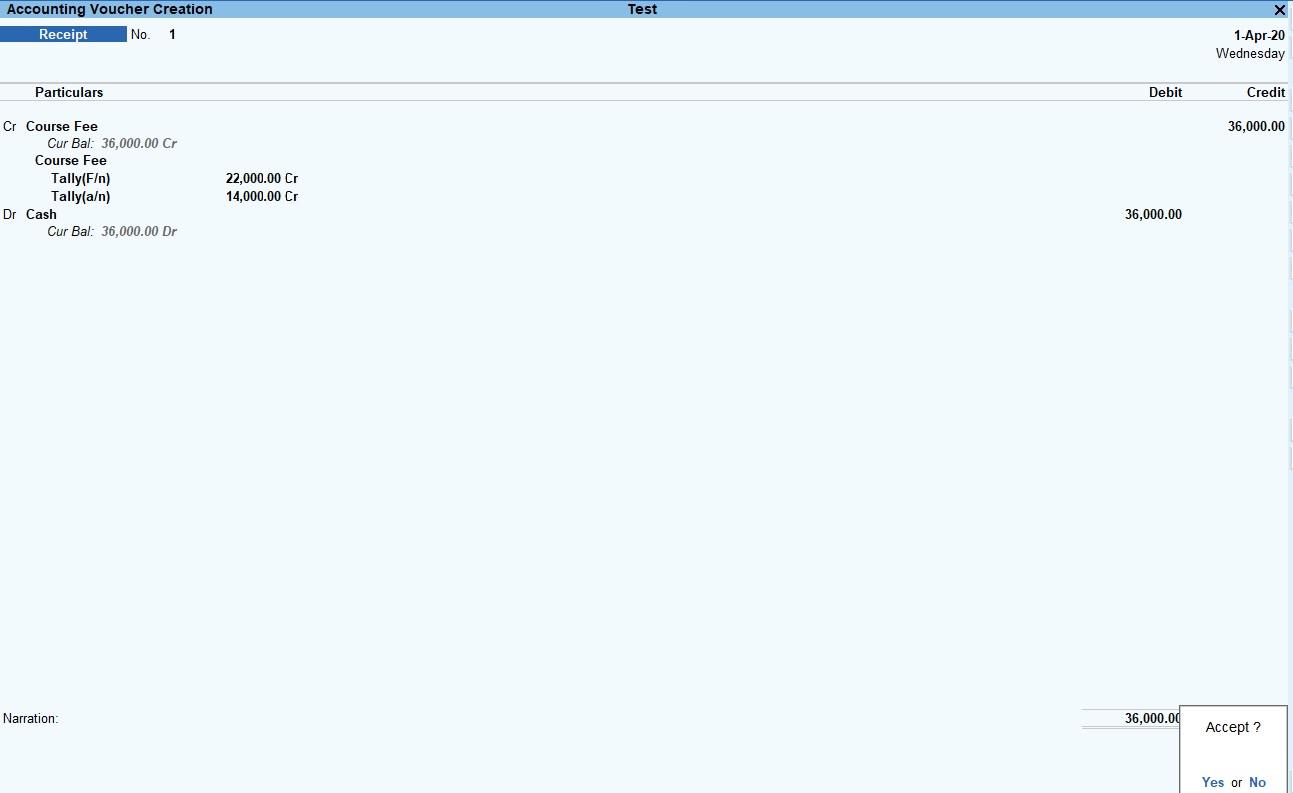
Cost Centre Sum
The Following Would Be Recording In Journal Using Double Entry System. Do The Posting Process from Journal Entries and Prepare the Trial Balance, Trading A/C, Profit & Loss A/C and Balance Sheet and cost canter In The Books Of M/S. TUTOR JOES COMPUTER EDUCATION Ltd for the following year 2020 to 2021.
| SBI bank | 800000 |
| Cash in hand | 100000 |
| Furniture | 200000 |
| Building advance | 150000 |
| Computer | 500000 |
| Stock in hand | 150000 |
| Software deposit | 10000 |
| Capital | 1000000 |
| O/S building rent | 20000 |
| O/S salary | 80000 |
| Loan from bank | 700000 |
| Sundry Creditors M/s. Hindustan Computer ltd Rs.150000 bill no:2112 (25days) M/s. Pavai books & note Printers Rs.50000 bill no: 2209 (25 Days) | |
Cost Category and Cost Centre:
| Application fee: |
| Computer application |
| Entrance application |
| Course fee: |
| DCA: |
| Course fee (DCA) |
| Course material (DCA) |
| DCA forenoon |
| DCA afternoon |
| DCA w/k |
| TALLY: |
| Course fee (tally) |
| Course material (tally) |
| TALLY forenoon |
| TALLY afternoon |
| TALLY day time |
| DTP: |
| Course fee (DTP) |
| Course material (DTP) |
| DTP forenoon |
| DTP afternoon |
| DTP day time |
| DIT: |
| Course fee (DIT) |
| Course material (DIT) |
| DIT forenoon |
| DIT afternoon |
| DIT day time |
Transaction During The Period
1. Course fee received for tally (f/n) Rs.22000 and tally (a/n) Rs.14000
2. Course fee received for tally (a/n) Rs.30000 and computer application for Rs.5000 by cheque
3. Course fee received for tally (day time) Rs.120000, DCA (w/k) Rs.75000 DTP (Day time) Rs.90000, DIT (Day time) Rs.110000 and summer offer for discount 2% for each course
4. Course fee received for DIT (f/n) Rs.15000 and DIT(day time) Rs.13000
5. Entrance application received Rs.10000
6. Course fee received for DTP (a/n) Rs.36000 and DTP(f/n) Rs.14500
7. Course fee for tally (a/n) refund Rs.5000
8. Course material to tally , DIT, and DTP purchased 50 copies @ Rs.5000, Rs.3000, Rs.1000 each
9. Amount paid to Ms. Hindustan ltd for Rs.75000 part settlement
10. Course fee for DIT(f/n) refund Rs.15000 and DCA (a/n) Rs.5000
11. Depreciation of furniture and fittings @ 10%
12. Computer stolen @ Rs.10000
13. Interest received from bank balance Rs.5000

No comments:
Post a Comment